Introduction | ||
|---|---|---|
This document provides instructions for optimizing Chrome’s performance and audio stability on workstations. Following these steps has shown remarkable improvements in voice recognition accuracy and reduced scroll-induced errors for speech engine while scrolling simultaneously in the viewer. |
Chrome Performance Optimization | ||
|---|---|---|
To ensure a secure, stable, and high-performance experience, we officially support the latest version of Google Chrome and the two previous major versions. While the platform may still function on older versions of Google Chrome, we do not guarantee performance, feature availability, or stability. Any third party Chrome plug-ins must be validated. There must be no restrictions on Origin Private File System (OPFS). |
Memory Saver | ||
|---|---|---|
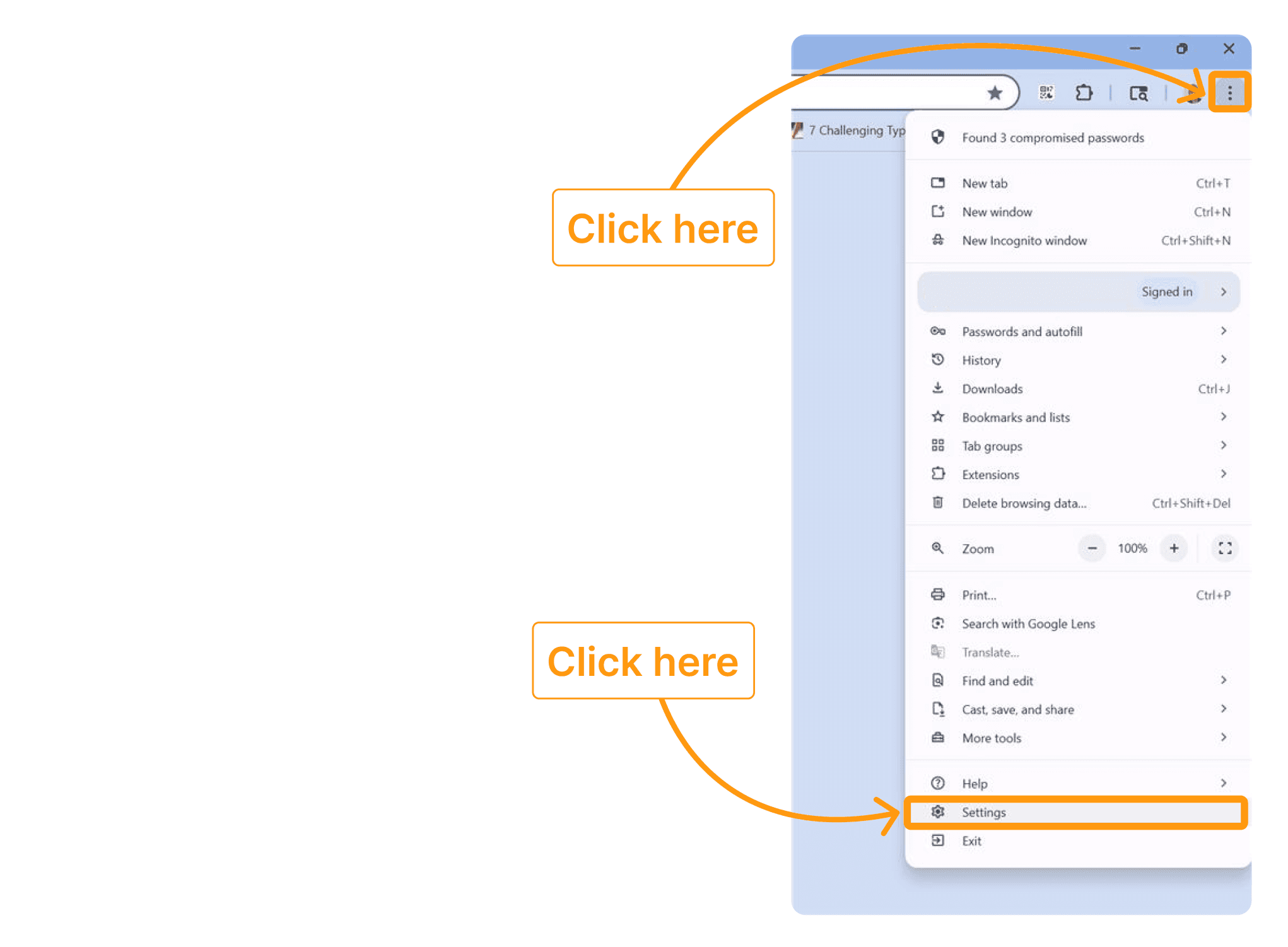
Access Chrome settings. | ||
 | ||
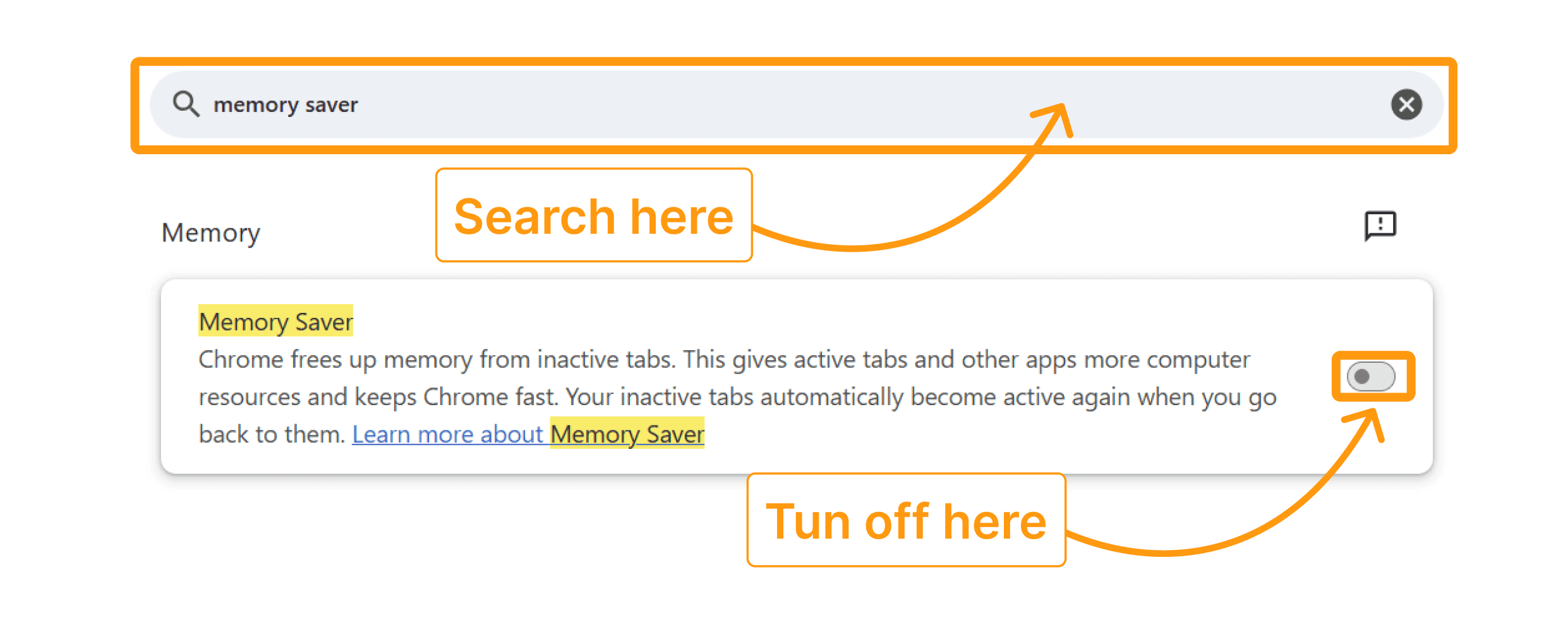
Search for “memory saver” and make sure it’s turned off. | ||
 |
Set Chrome Flags | ||
|---|---|---|
| ||
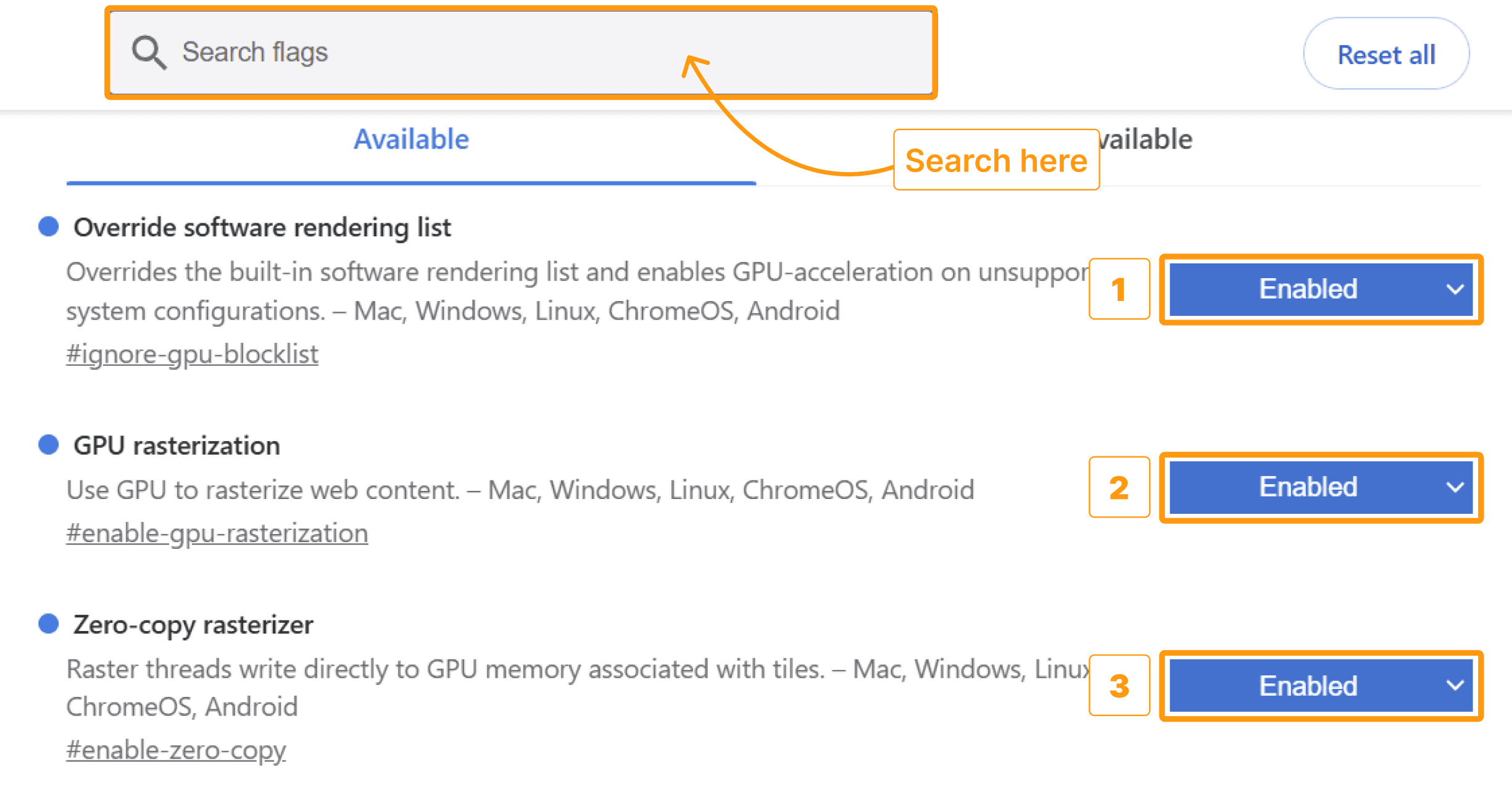 | ||
Search for the following flags and enable each as shown below:
| ||
After enabling these flags, click the “Relaunch” button at the bottom-right to restart Chrome with the new settings. |
Chrome Multi-Monitor Extension Setup to Save Viewer Window Position | ||
|---|---|---|
If you are using multiple monitors, install the display manager Chrome extension to have the viewer automatically appear on the proper monitor(s). | ||
Step 1: Open Google Chrome. | ||
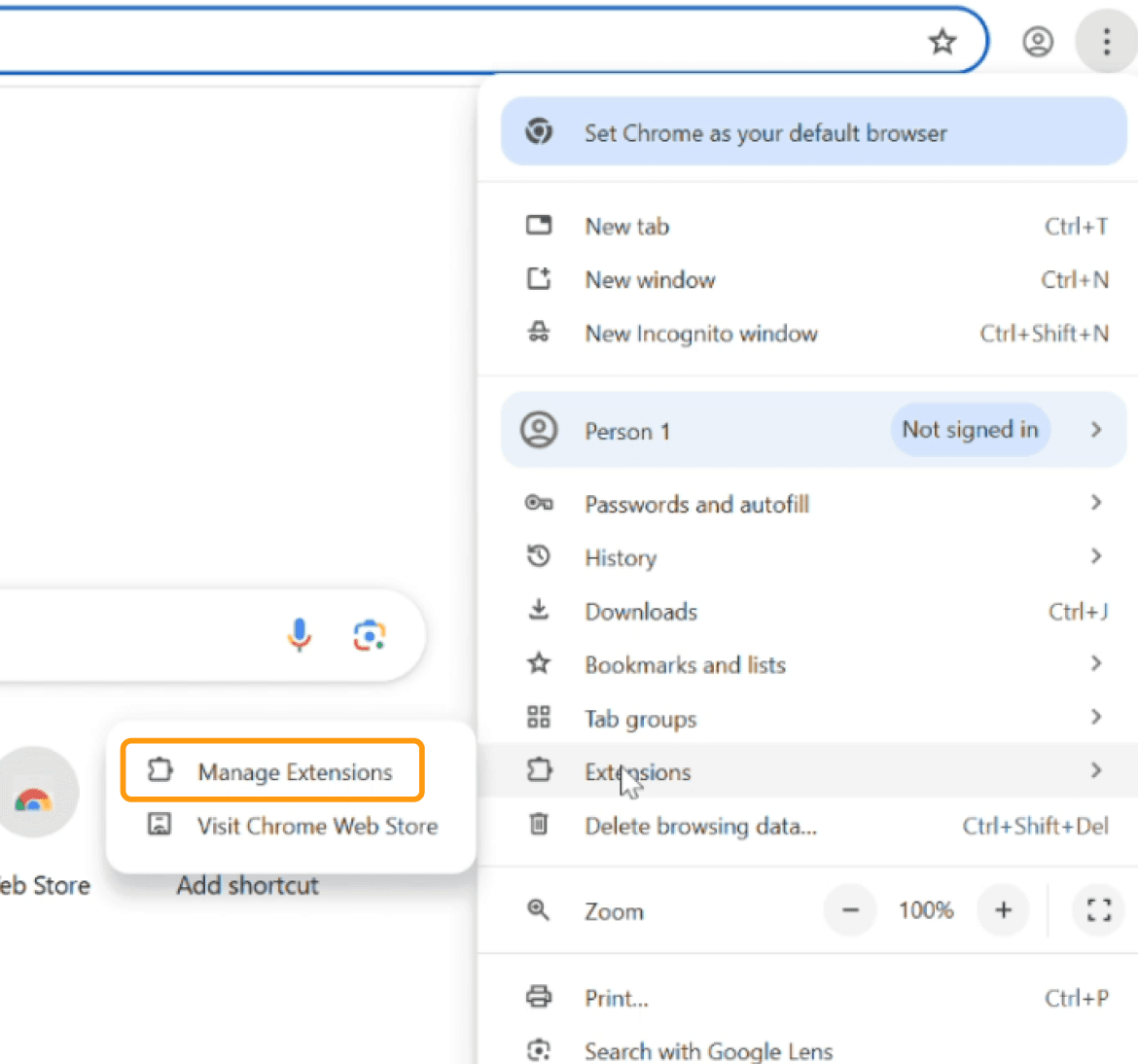
Step 2: Access the Extensions page by clicking the three-dot menu in the top-right corner of Chrome and selecting "Manage Extensions." | ||
 | ||
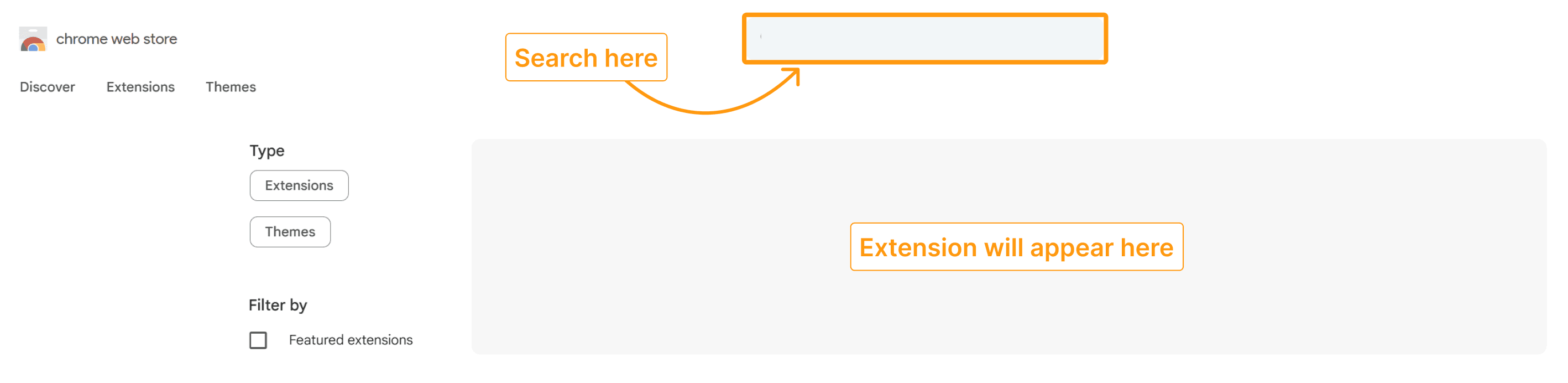
Step 3: In the Extensions page, search for extension and click on it. | ||
 | ||
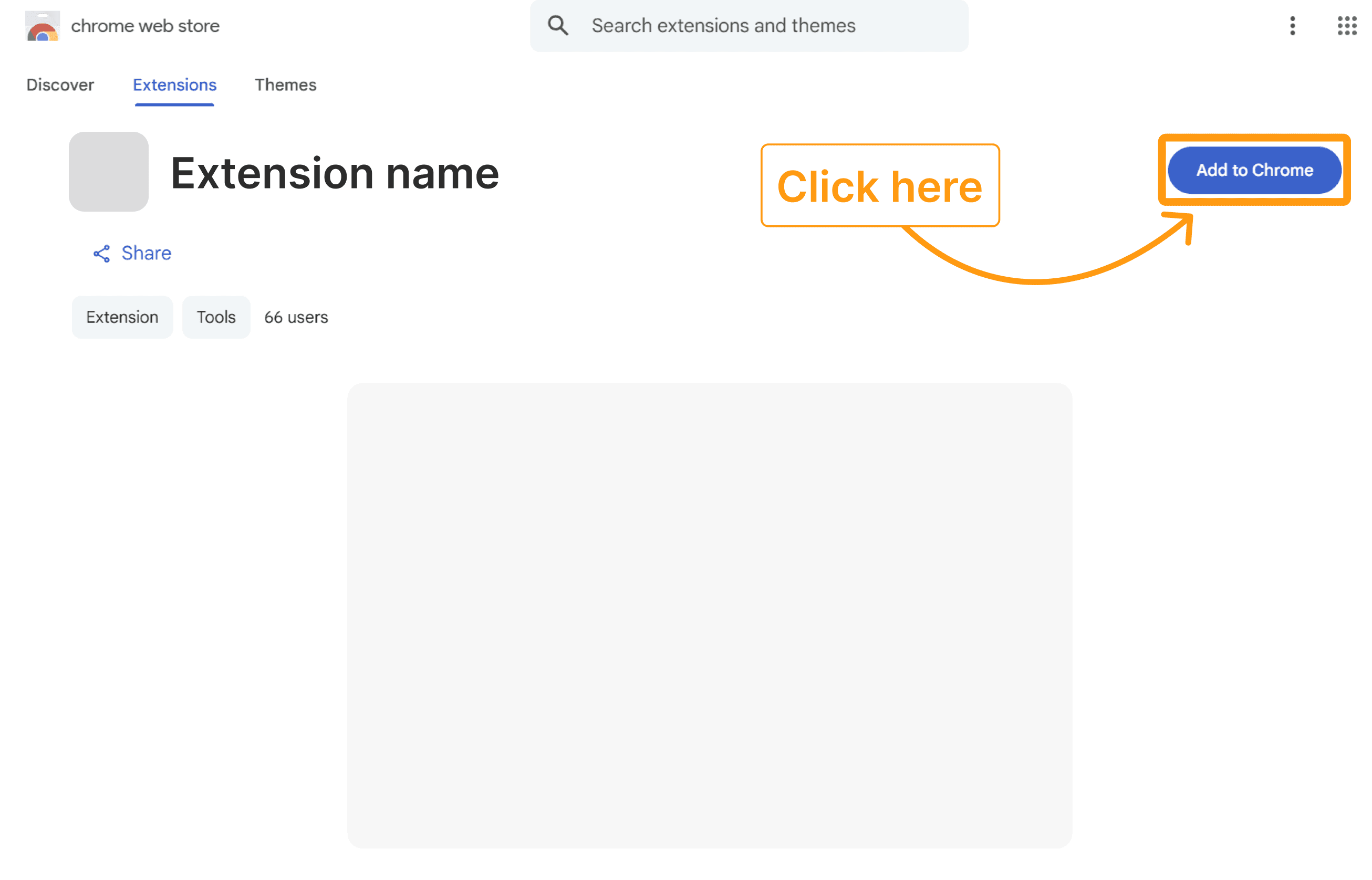
Step 4: Add to Chrome. | ||
 |
How to use the extension | ||
|---|---|---|
When the viewer window opens for the first time, the reading physician will need to manually adjust its position on their preferred monitor. Once the position is set, the system will automatically remember and restore the viewer window to the same location every time the reading physician logs in, ensuring a consistent workflow across multiple screens. |