In the "Exams" tab, click on the "Filters" button and fill in the criteria. | |
|---|---|
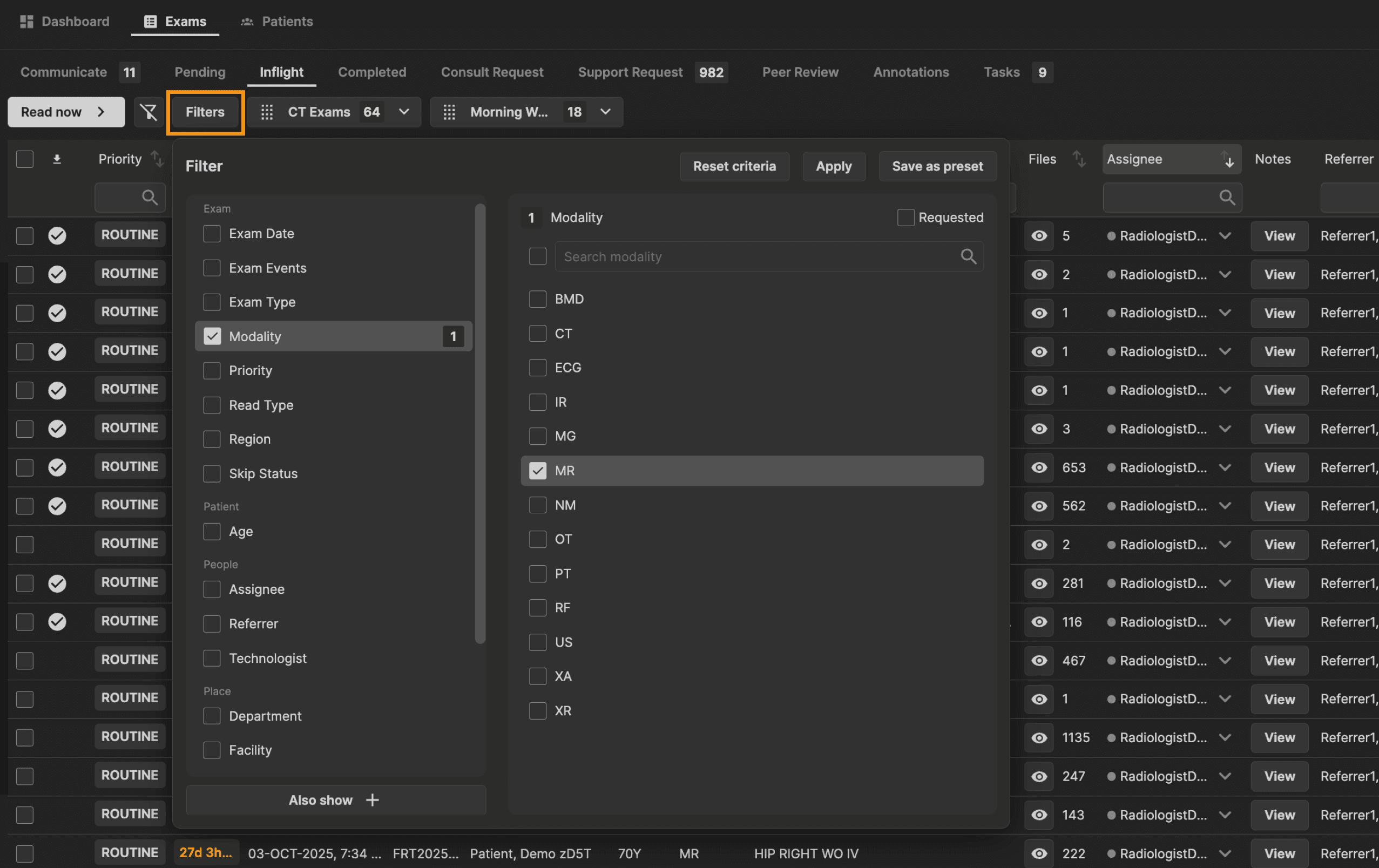 |
Click "Save as preset." | |
|---|---|
 |
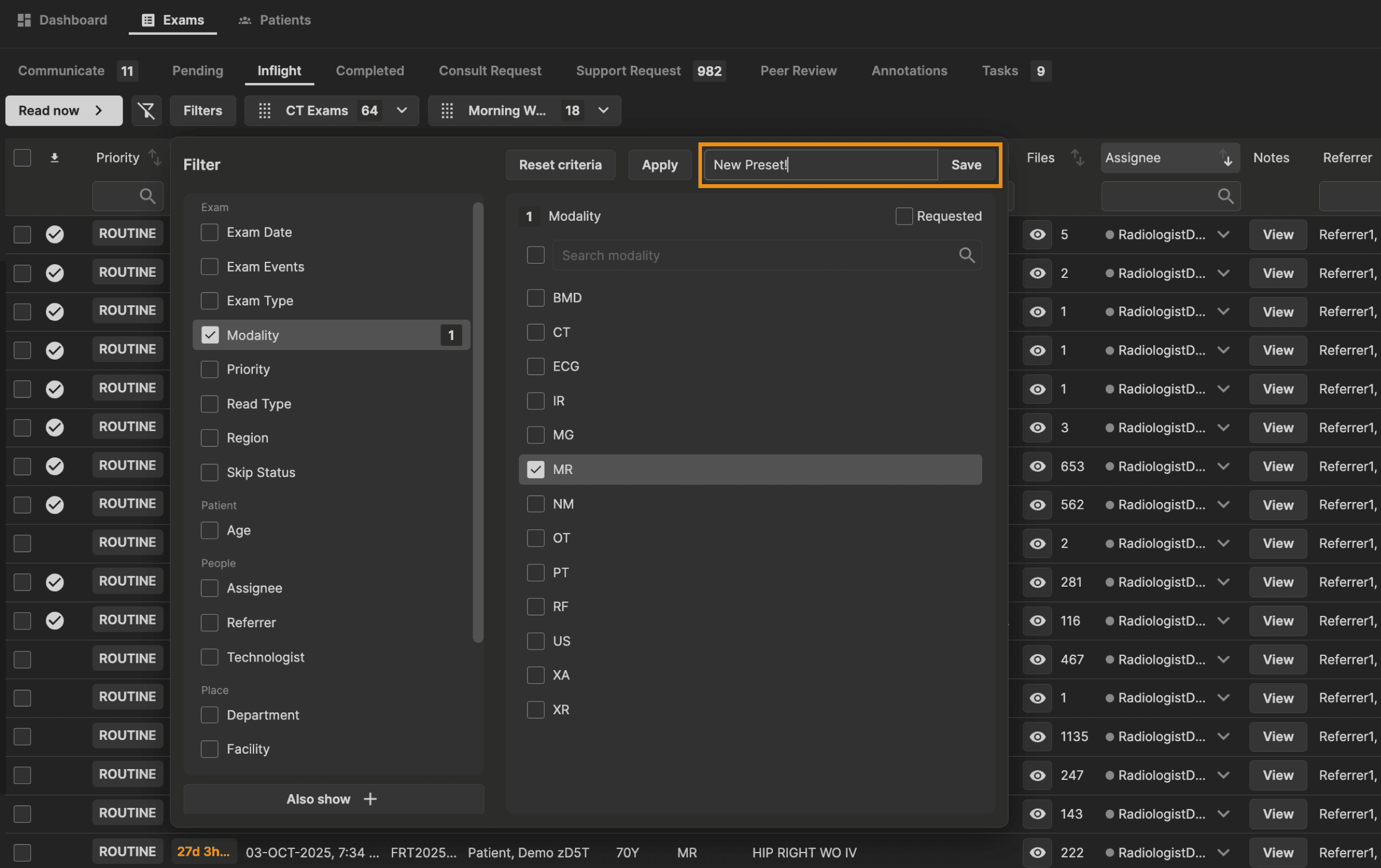
A name field will appear. Enter the preset name and click "Save." | |
|---|---|
 |
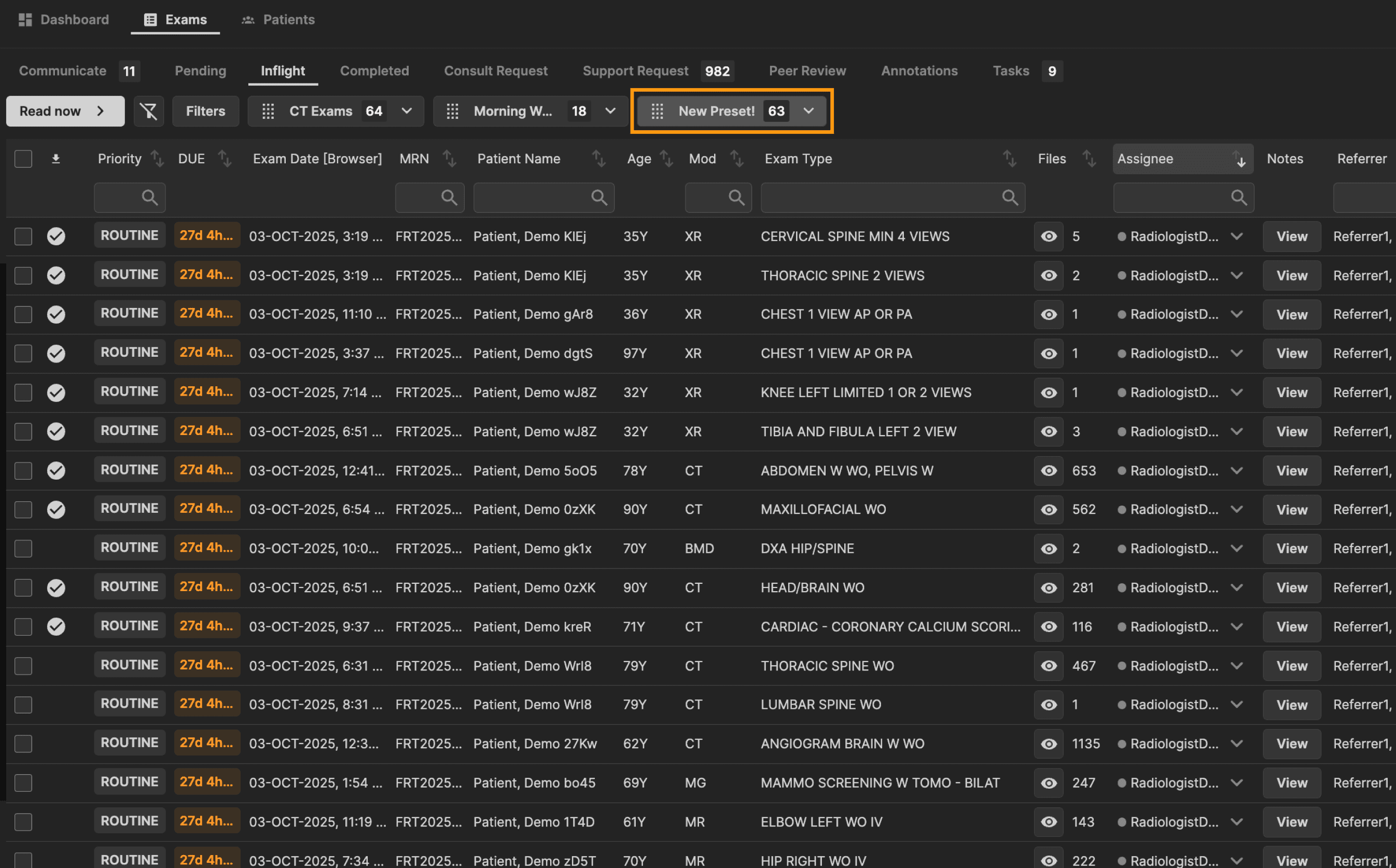
The preset is now visible above the exams table. The number in the preset button shows the amount of exams that apply to that preset filter criteria. Re-order your presets above the table as you wish. | |
|---|---|
 |