Covers new capabilities in Report Assistant. Review previous versions for past releases. The reading physician is solely responsible for the final report and must carefully review all automated content.
What is Report Assistant?
Report Assistant is an advanced AI tool designed to support reading physicians in preparing, refining, and managing medical imaging reports. It enhances workflow efficiency and ensures high-quality report content while preserving physician oversight.
Core Purpose:To assist, not replace, the reading physician in: | |
|---|---|
Previous Release - Release 3.0 | Generating specific sections of the report such as Impression and Recommendations. |
Previous Release - Release 3.1 | Along with previous features, it introduces report correction and prompt insertion. |
Current Release - Release 3.2 | Along with previous features, it introduces clinical guidance for breast reporting. |
Future Release - Release 3.3 | Along with previous features, it introduces personalizing reports to match the physician's individual style and preference. Supporting clear, professional, and accurate reporting. |
Report Assistant 3.2 Sub-Agents | |
|---|---|
Release 3.0 | |
Report Impression 1.0 | |
Report Recommendation 1.0 | |
Release 3.1 | |
Report Impression 1.1 | |
Report Recommendation 1.1 | |
Report Corrector 1.0 | |
Prompt Insertion 1.0 | |
Release 3.2 | |
Report Impression 1.1 | |
Report Recommendation 1.1 | |
Report Corrector 1.0 | |
Prompt Insertion 1.0 | |
Breast Reporting 1.0 |
User Guide for New Capabilities
This release mainly introduces a new Agent, Breast Reporting 1.0 and includes several other enhancements and minor bug fixes for Report Impression 1.1, Report Recommendation 1.1, and Report Corrector 1.0.
Breast Reporting 1.0 | |
|---|---|
This release simplifies breast exam reporting by automatically generating standardized assessment categories and clinical recommendations for all breast imaging exams, including ultrasound (US), magnetic resonance imaging (MRI), and mammography (MG), based on the information in the report. Radiologists no longer need to manually calculate the assessment category or associated recommendation. The system also ensures that each lesion and follow-up is tracked in line with regulatory standards, saving time and improving consistency. |
What is Breast Reporting 1.0? | |
|---|---|
Allows automation to generate standardized assessment categories (in alignment with regulatory standards such as MQSA) and clinical recommendations for eligible breast reporting exams. |
Breast Reporting Background - What is Breast Imaging Reporting? | |
|---|---|
It is a standardized method for radiologists to report findings (e.g., patient history, breast density/composition, lesion) from breast imaging studies including mammograms, ultrasounds, and MRIs. | |
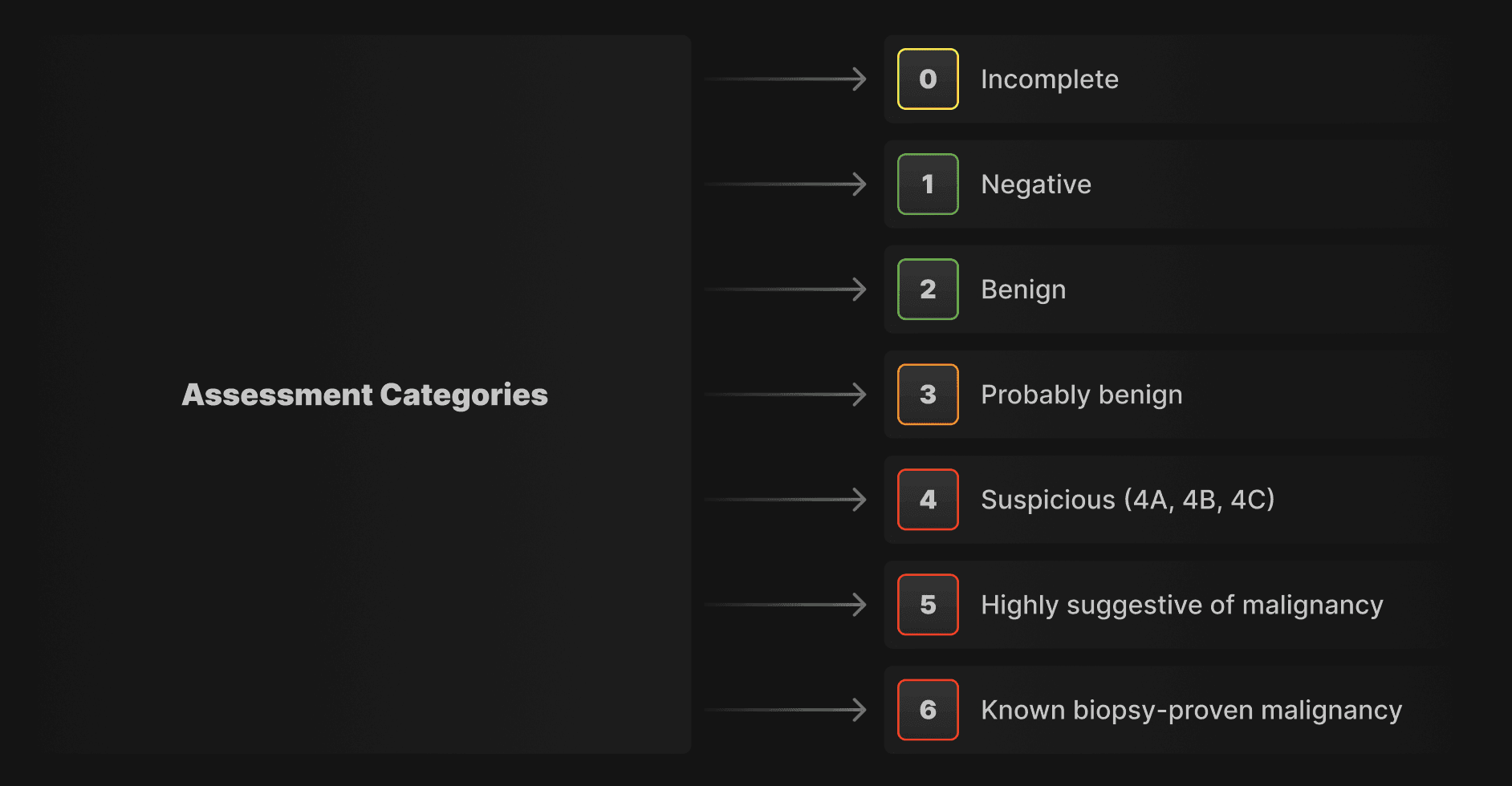 |
Recommendations | |
|---|---|
Provide clear next steps (e.g., routine screening, short-term follow-up, biopsy, treatment planning, additional imaging). |
Guide to Features and Use
Key Features & Benefits | |
|---|---|
Draft Reports Faster | |
Reports are now automatically created using standard assessment categories and relevant recommendations from the breast history forms, reducing manual efforts and speeding up workflows. | |
Support Multi-lesion Cases: | |
The system automatically recognizes and parses multiple lesions across different modalities applying appropriate follow-up logic for each lesion. | |
Use Quick Macros & Templates: | |
Users can leverage shortcuts and ready-made templates to complete reports more efficiently. |
Eligible Reports
What triggers Breast Reporting Agent? | |
|---|---|
Only certain exams will trigger the Breast Reporting Agent. The list of eligible exam codes are given below. Otherwise, by default, all exams will use our Report Impression and Report Recommendation agents. |
Eligible Reports: | |
|---|---|
Eligible MG/US Exam Codes | |
13006, 13012, 13013, 13014, 13015, 13016, 13017, 13018, 13019, 13020, 13021, 13022, 13023, 13024, 13025, 13026, 13027, 13028, 13029, 13030, 13031, 13033, 14043, 14044, 14050, 14051, 18020, 18021, 18022, 18023, 18027, 18255, 13034, 13035, 13036, 13037, 13038, 13039 | |
Eligible MR Exam Codes | |
14043, 14044, 14050, 14051 |
How Does It Work? | |
|---|---|
Input | |
Access the breast region US, MRI or MG exam. | |
Utilize an appropriately formatted exam template (default/normal/benign). | |
Utilize the breast reporting form. | |
Utilize the appropriate left/right breast ultrasound form. | |
Complete any relevant findings. | |
Press the “AI” button. | |
Wait 3-4 seconds for the results. | |
Output | |
An assessment category will be generated in the <<ASSESSMENT>> section. | |
A list of consistent and clear recommendations are generated in the <<RECOMMENDATIONS>> section. |
Prerequisites | |
|---|---|
| |
|