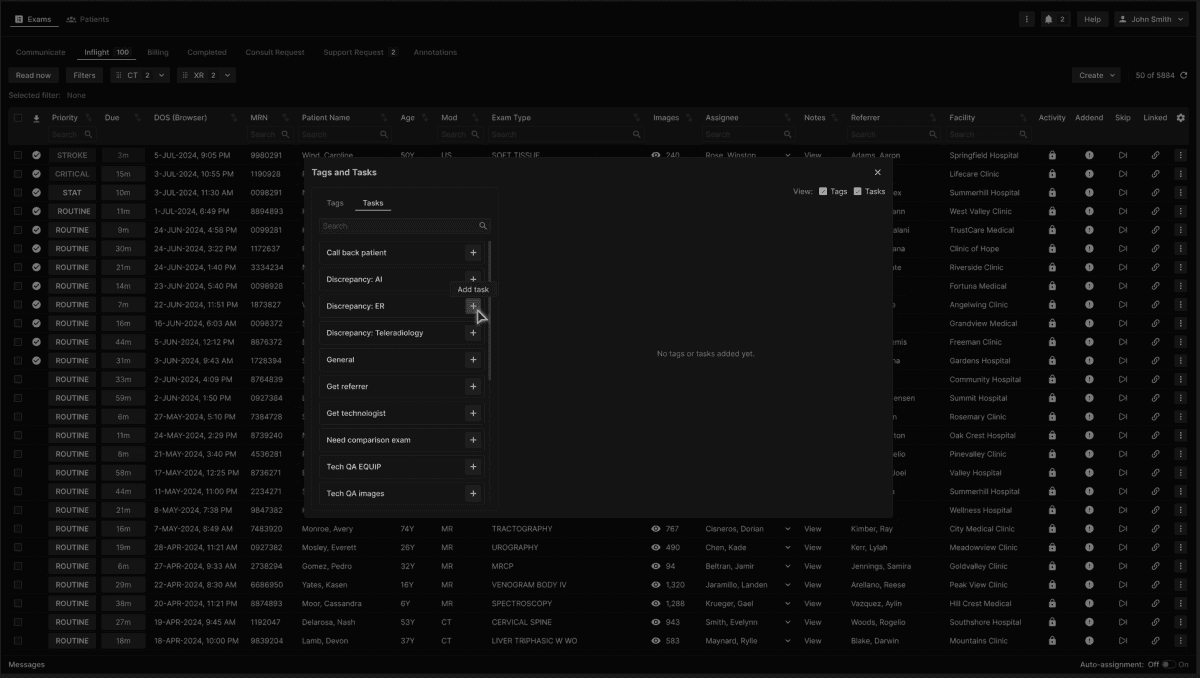
From the Task tab, select the desired task option from the menu. | |
|---|---|
 |
Complete the Task Note, which is an optional field, and then click Add. | |
|---|---|
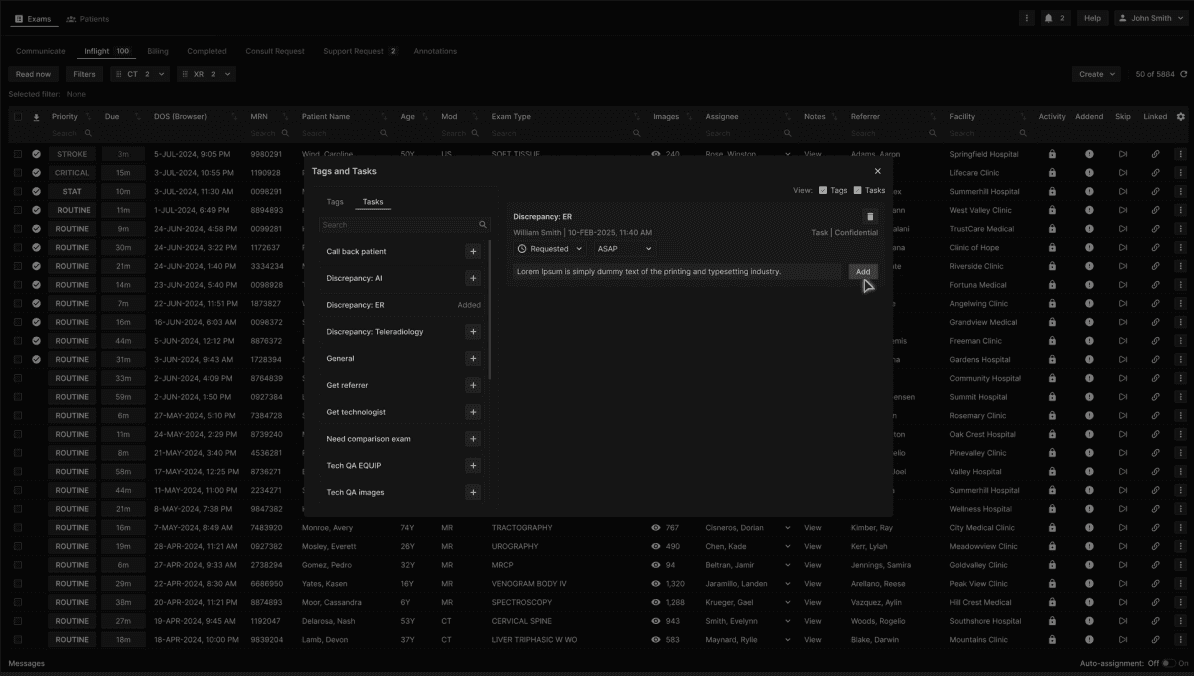 |
After the Task note is added, the note is visible along with other Task attributes. | |
|---|---|
 |
When a Task is created, its status is Requested and the priority is Routine, unless otherwise edited. | |
|---|---|
 |
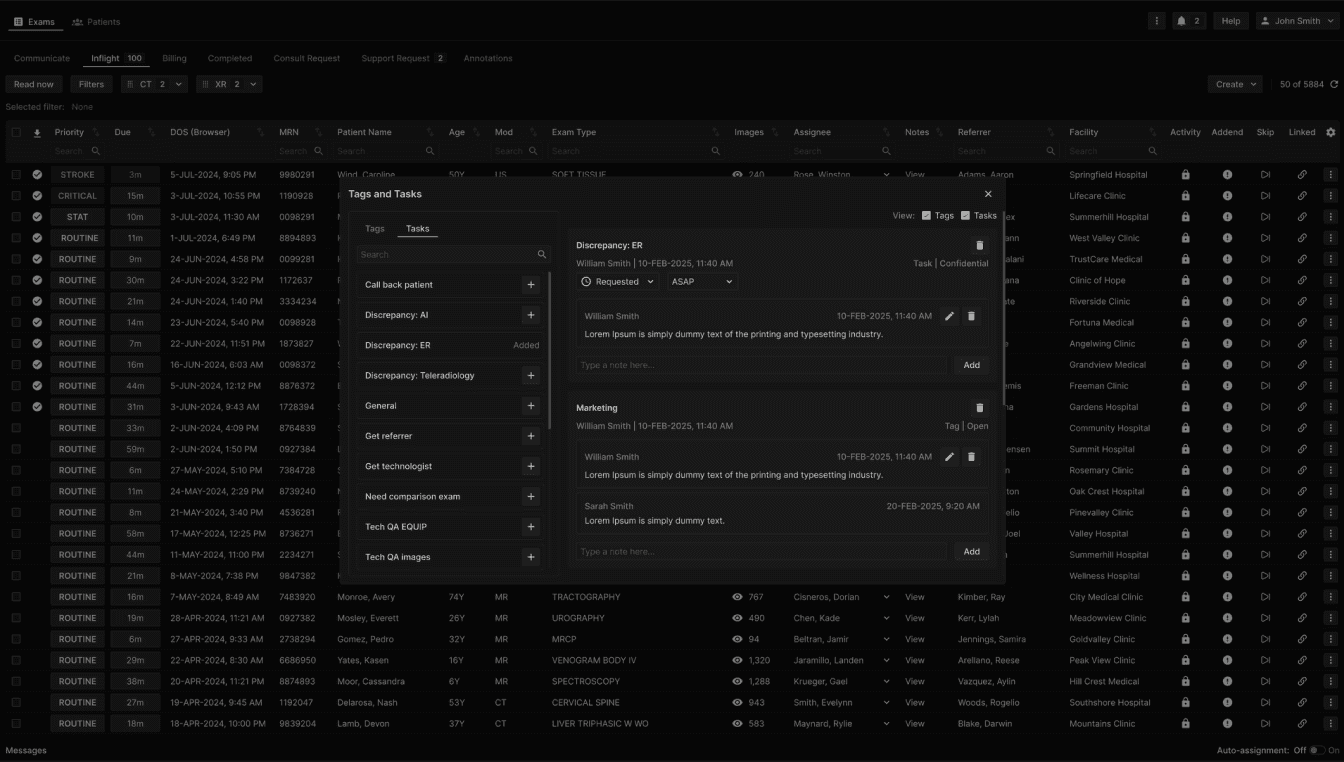
An exam may have one or more Tags and Tasks, each appearing at the right side of the Tags and Tasks dialog. The more recent Tag or Task appears on top. | |
|---|---|
 |