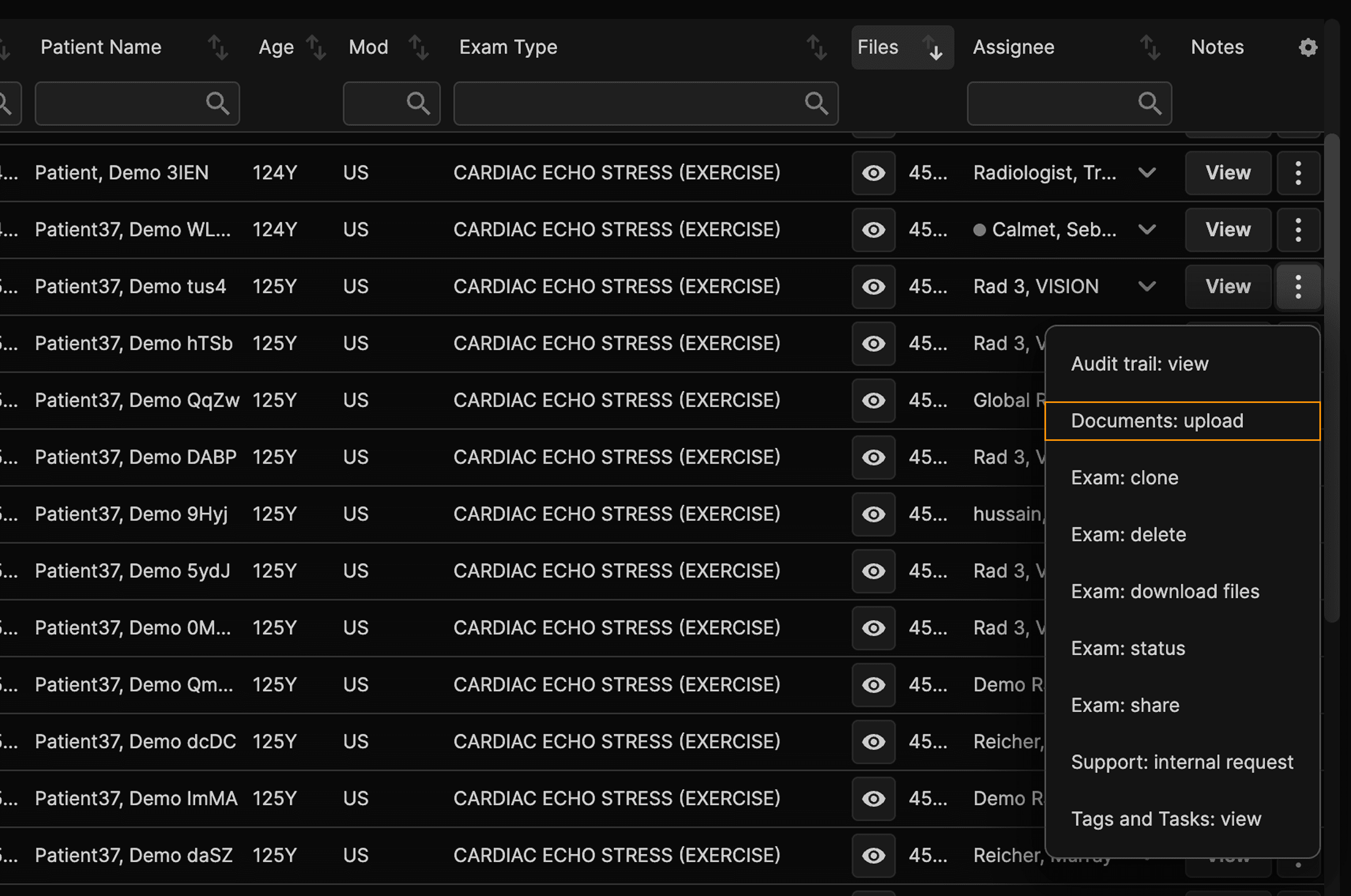
Click the three dots at the right of an exam and select ‘Documents:upload’ | |
|---|---|
 |
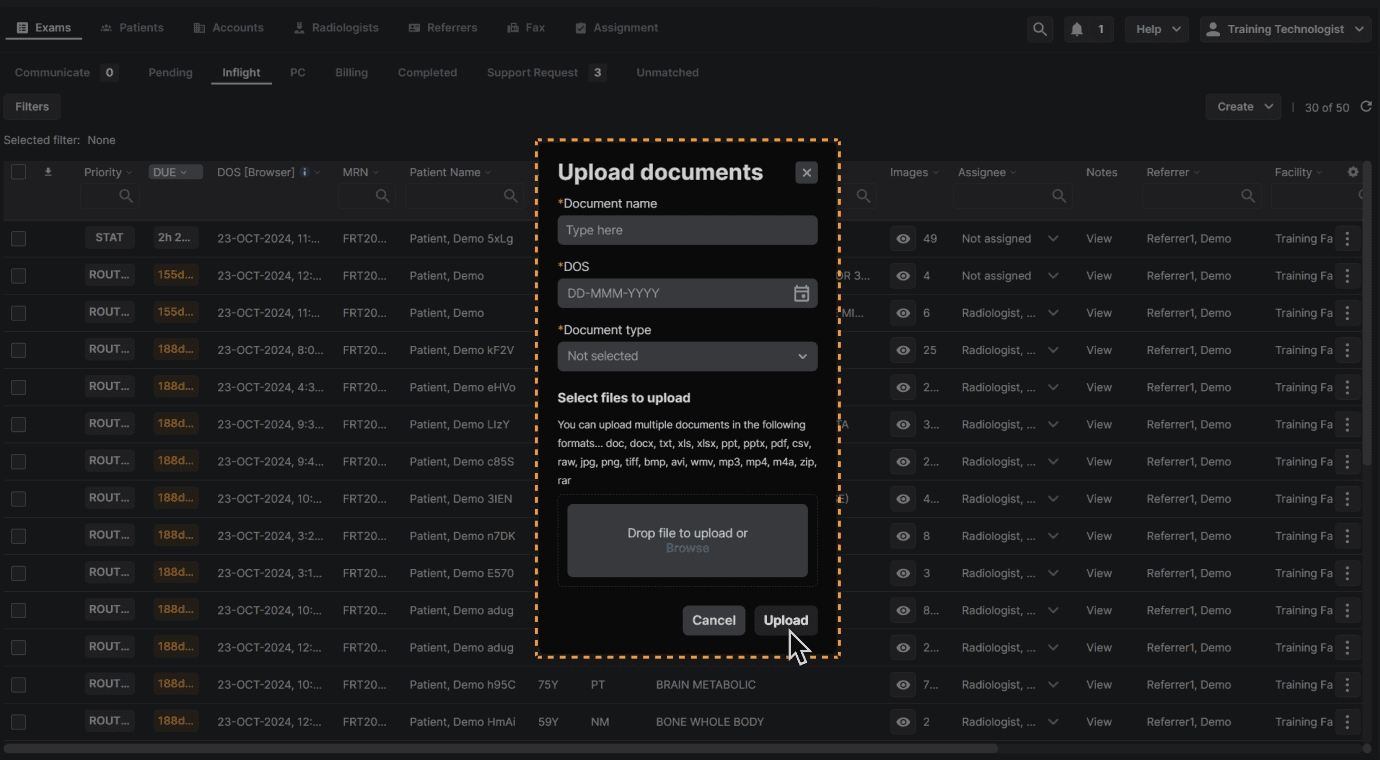
Add all required information and select or drag the document you would like to upload. Click "Upload" when complete. | |
|---|---|
 |
Click the three dots at the right of an exam and select ‘Documents:upload’ | |
|---|---|
|
Add all required information and select or drag the document you would like to upload. Click "Upload" when complete. | |
|---|---|
|