Release notes: Workflow and reporting
Workflow and reporting: Version 10.0
New Features
Improved Archive Synchronization (IOCM Support) |
|---|
This release introduces Imaging Object Change Management (IOCM) support to improve synchronization between the PACS and external long-term archives. What’s new:
|
Important notes:
|
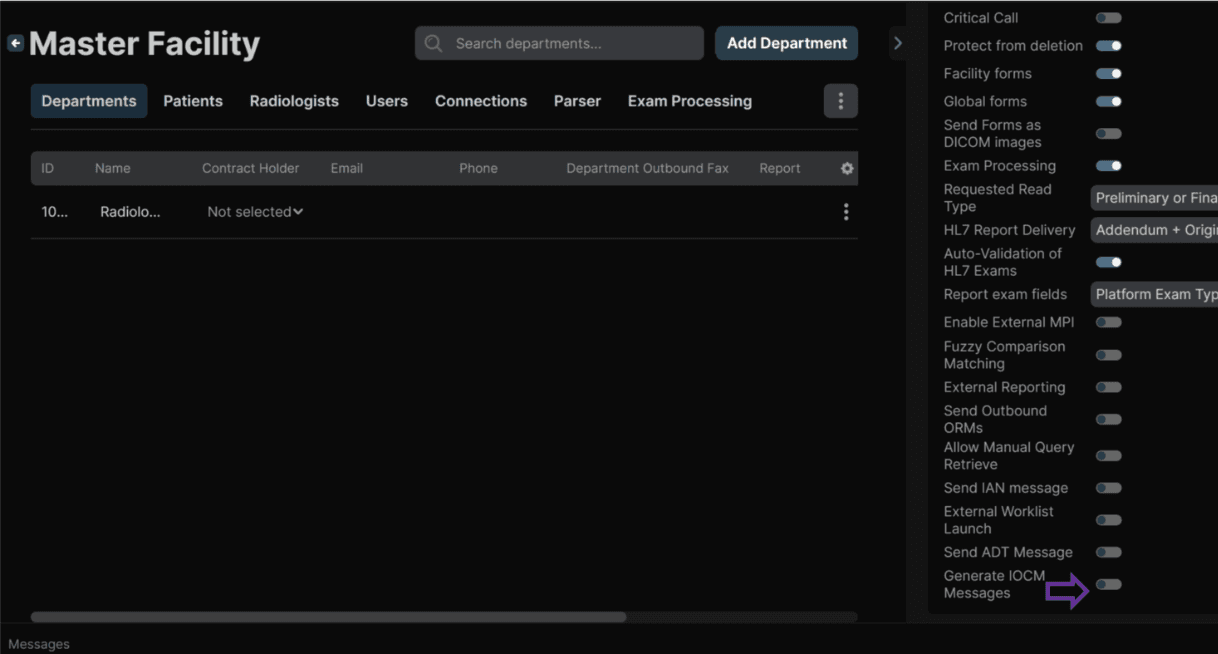 |
Improved Stability During AI‑Assisted Reporting |
|---|
What’s New
|
Impact to Users: While AI processing is running:
|
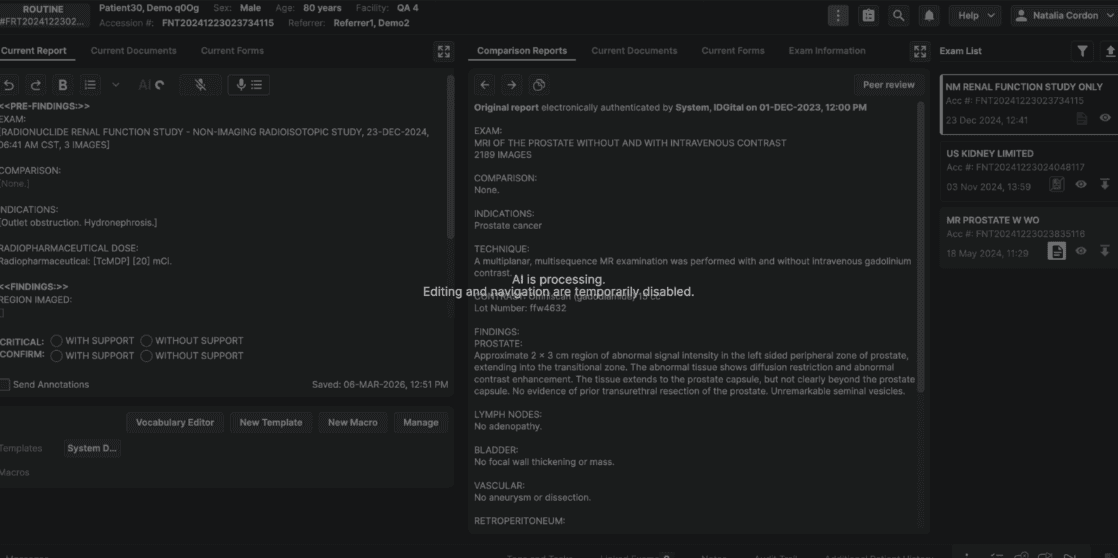 |
Once AI processing completes (or if it fails), the screen is automatically unlocked and normal interaction resumes. |
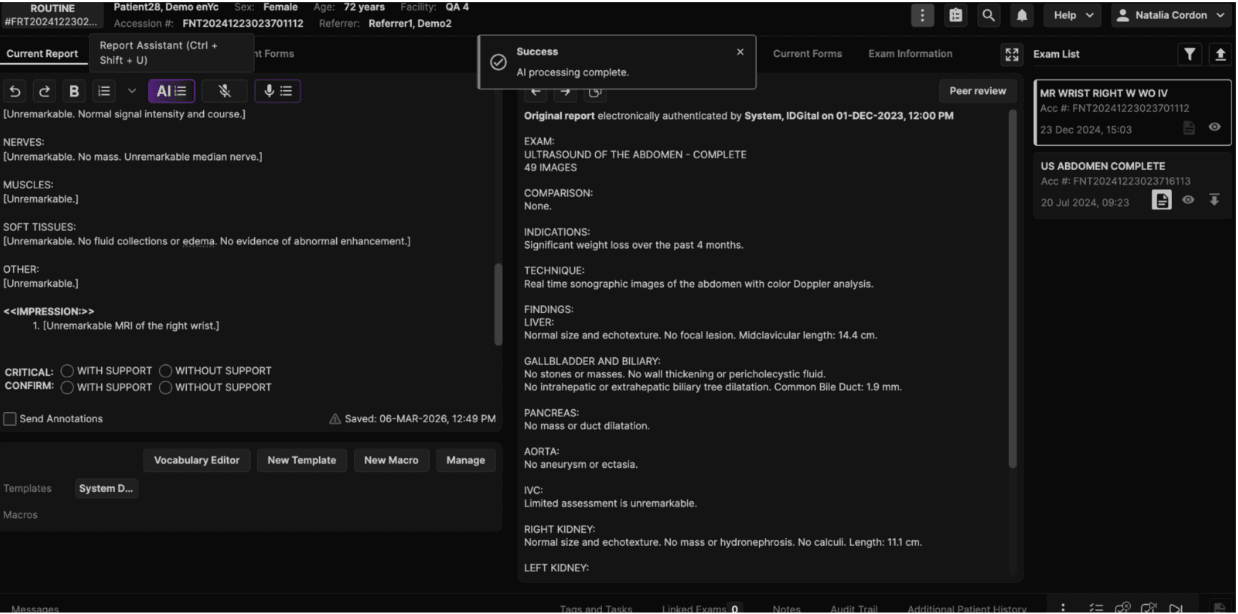 |
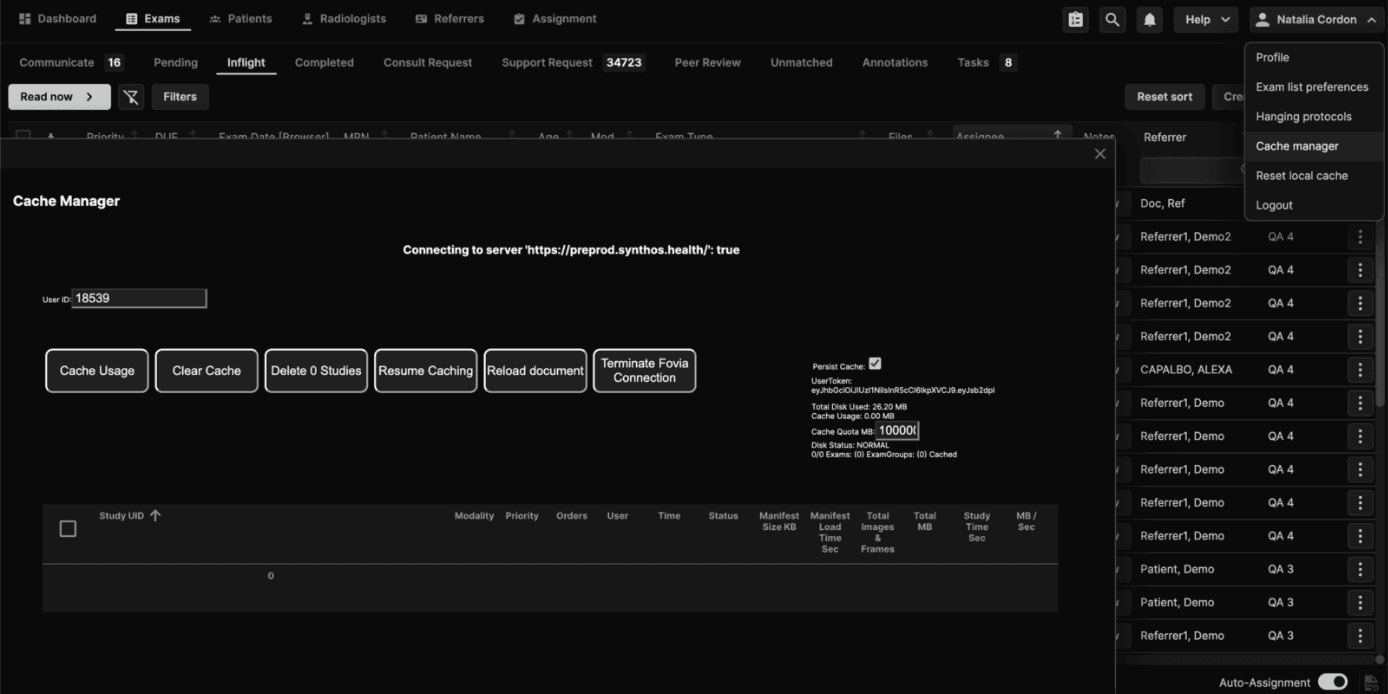
Reset Local Cache |
|---|
Users can now manually clear the viewer's local image cache directly from within the application. This provides a self-service resolution path for image loading and synchronization issues without requiring support intervention. |
How to Use
|
What Happens on Confirmation
|
What Is Not Affected
This tool is intended for use when experiencing issues with image loading or synchronization. |
Note Clearing the local cache may take several minutes. Do not refresh or close the browser until the process is complete. The worklist remains accessible during this time. |
 |
Improvements and Fixes
Exam Linking, Locking and Lifecycle Stability |
|---|
Improved consistency of exam locking, linking, and lifecycle transitions, especially in split/merge scenarios.
|
Documents, Forms and External Content |
|---|
Improved document handling and form rendering for downstream systems.
|
Search, Matching and Data Integrity |
|---|
Enhanced data accuracy, matching behavior, and search reliability.
|
Security, Access and Platform Reliability |
|---|
Improved platform resilience, access control, and error handling.
|
Quality, Testing and Infrastructure Improvements |
|---|
|