Version 1.0

Effective date:

Feb 5, 2026

Release notes: Workflow and reporting

Workflow and reporting: Version 9.0.0


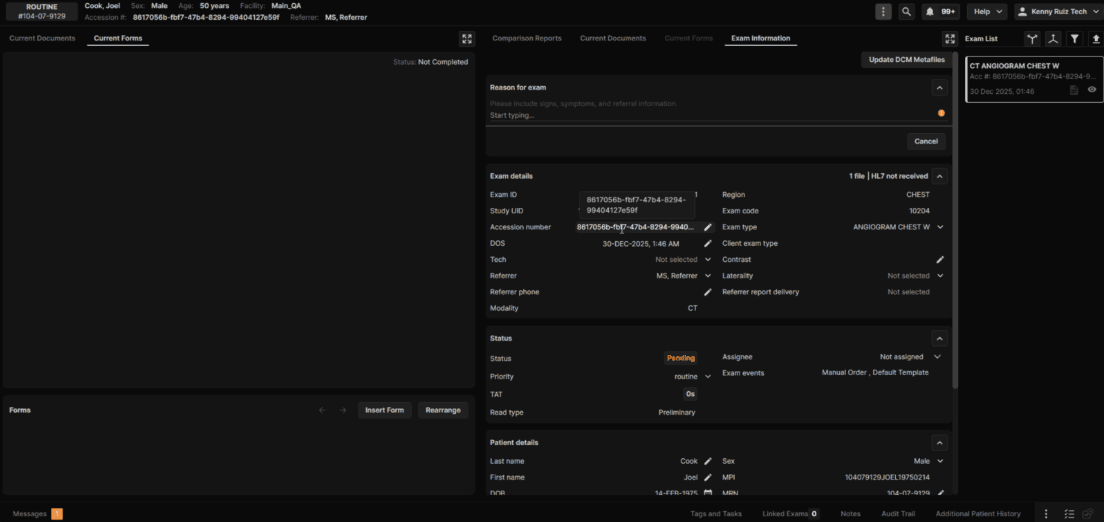
Ability to Edit the Accession Number  

What’s New 

  • Authorized users can now edit the accession number from Exam Information tab in the exam details page. 

  • Edits automatically regenerate the master patient ID (MPI) to ensure downstream systems remain synchronized. 

  • Access to this feature is via user permission “Edit Accession Number”

Impact to Users

  • Improved data quality and reduced support escalations. 

  • Faster resolution of identifier mismatches. 

  • To comply with DICOM standards, there will be a restriction on the UI where accession numbers have to be 16 characters or less. 


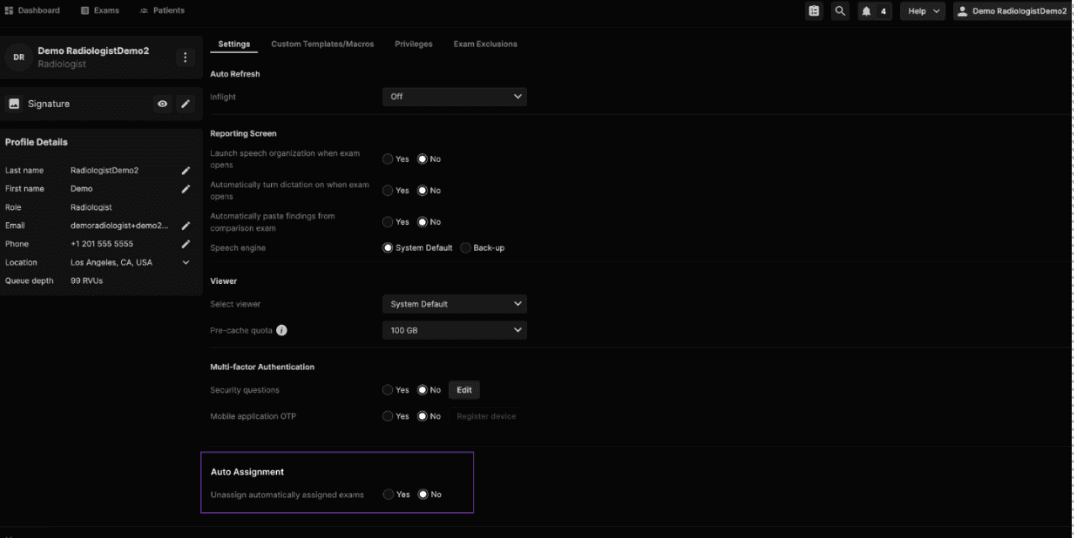
Assignment Improvements — Unassign ONLY Automatically Assigned Exams When Radiologist Logs Out (Applicable for organizations using Duty Assignment).

What’s New 

  • New user preference: Unassign automatically assigned exams on logout (Yes/No). 

  • Auto assignment pauses when user is offline. 

  • Unread, auto assigned exams return to the duty queue when the user logs out. 

  • Manually assigned exams remain assigned to the user. 

Impact to Users

  • Improved workload distribution. 

  • Avoids offline assignments and reduces manual cleanup. 


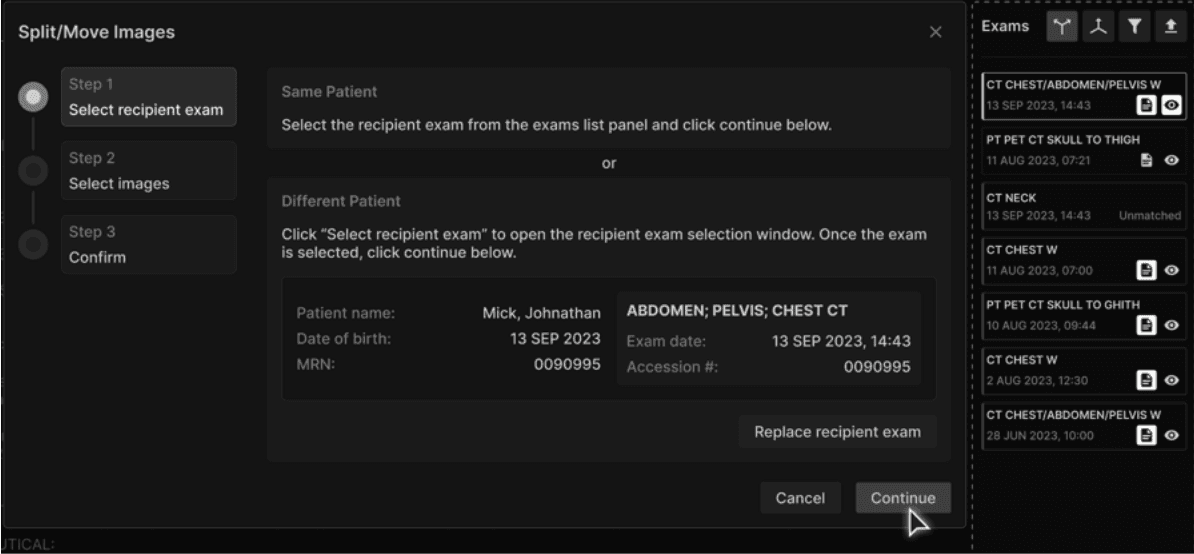
Add the Ability to Move Images

What’s New

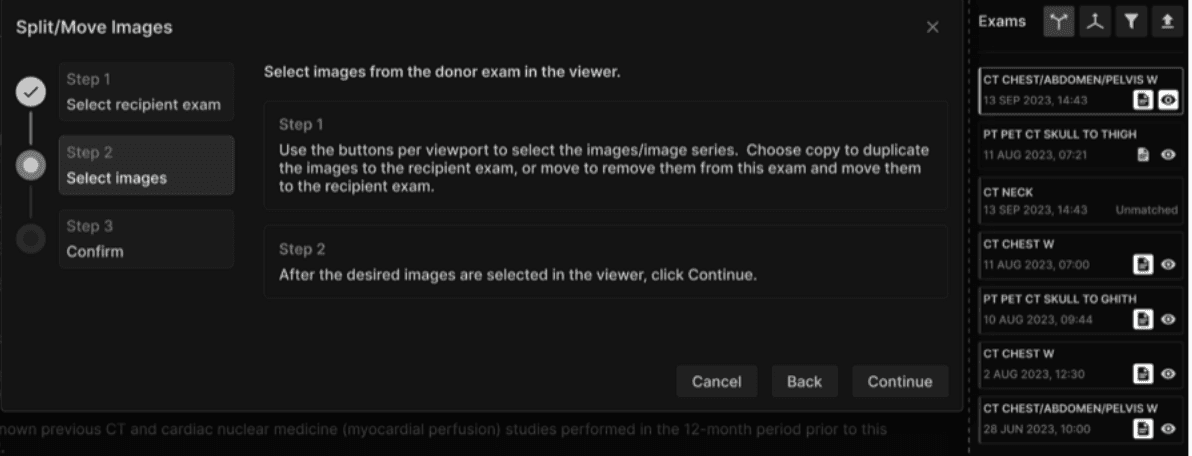
  • Existing “Split” feature renamed to Split/Move Images. 

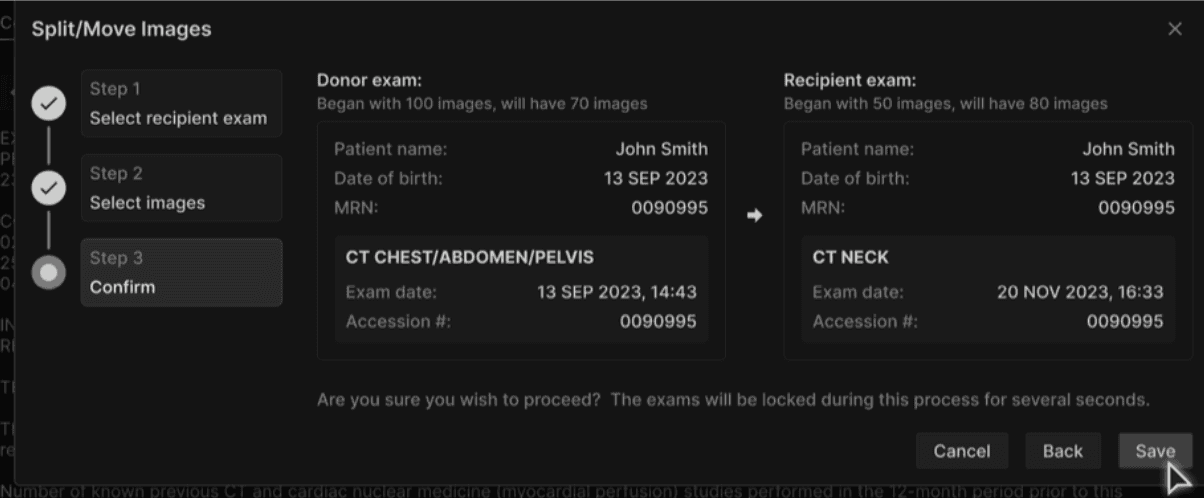
  • New three-step guided workflow: select recipient exam → choose images to split/move in Vision → confirm. 

  • Supports moving of images across patients (same modality only).

  • Automated DICOM UID handling for moves/copies. 

  • Clone behavior updated to generate new Study/Series UIDs. 

Impact to Users

  • Clearer, safer corrections of misfiled images. 

  • Significantly improved validation and safety for cross-patient adjustments. 


DCM Metadata Updates    

What’s New 

  • Automatic DICOM metadata updates when HL7 or manual changes occur. 

  • Patient-level changes propagate to all historical studies. 

  • IOCM compliance for identity-affecting tag changes.  

Impact to Users

  • Consistent patient and exam metadata across systems. 

  • Reduced risk of exporting incorrect identifiers. 


Alert Messages in Exam Details Page 

What’s New 

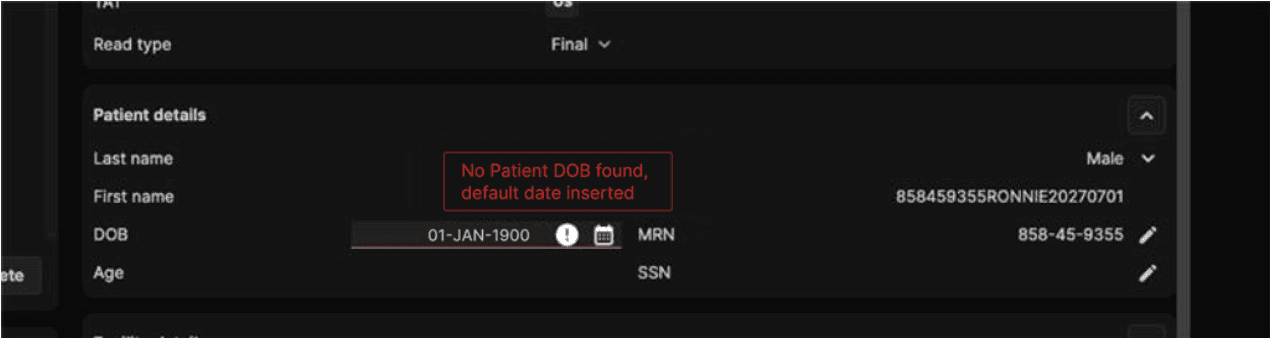
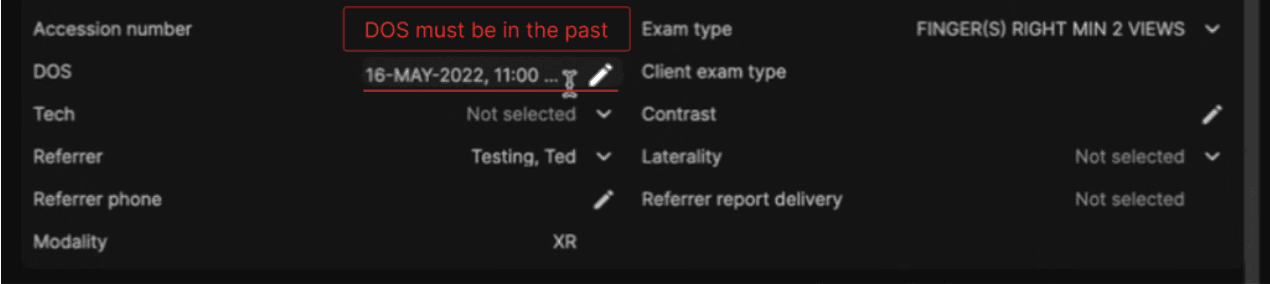
  • Alerts now exist for the errors in the following data entry points:  

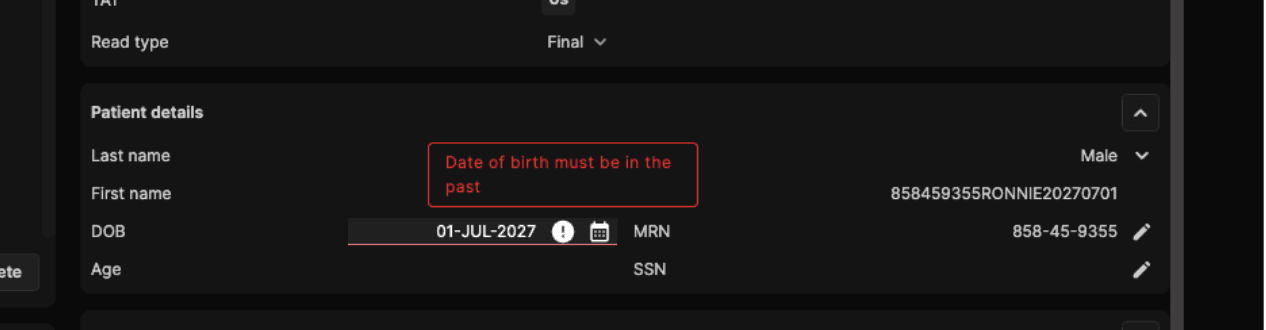
    • Default Date of birth (01-JAN-1900)

    • Future Date of service 

    • Future Date of birth

  • Uses existing UI alert pattern (red underline + tooltip). 

  • Alerts do not block workflows and disappear when validation is complete.  

Impact to Users

  • Early identification of incorrect dates. 

  • Cleaner data before reporting workflows. 


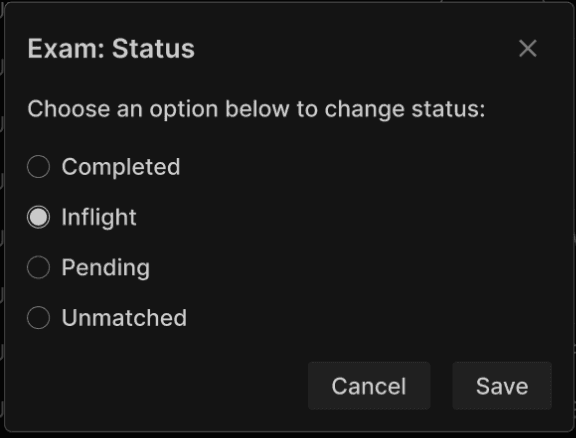
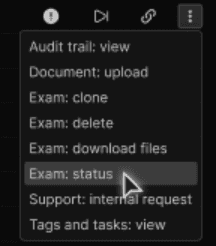
Ability to Change Exam Status from UI

What’s New 

  • Authorized users can now change status across:  

    • Unmatched, Pending, Inflight, Completed.

  • New user permission: update_exam_status. 

  • Workflows for Support Request and Addendum expanded and made more consistent. 

  • A user can not change the status of Completed exams with “once signed” tags (exams that are signed in the platform) or reports signed externally (eg. by a teleradiology provider).

Impact to Users

  • More powerful administrator tools to correct workflows. 

  • Dramatically reduced reliance on Synthesis support in order to resolve status changes.