Welcome to the Learning Center
Chrome extensions
Download our Chrome extensions and enhance the way you read, view, and report.
Clinical assistant
Provides clinical guidance based on published standards to assist in reporting of follow-up recommendations. Also provides anatomy help.


Ultrasound technologist forms
Provides wizards that technologists can use to improve the speed and accuracy of completing forms, especially useful for recording ultrasound findings.


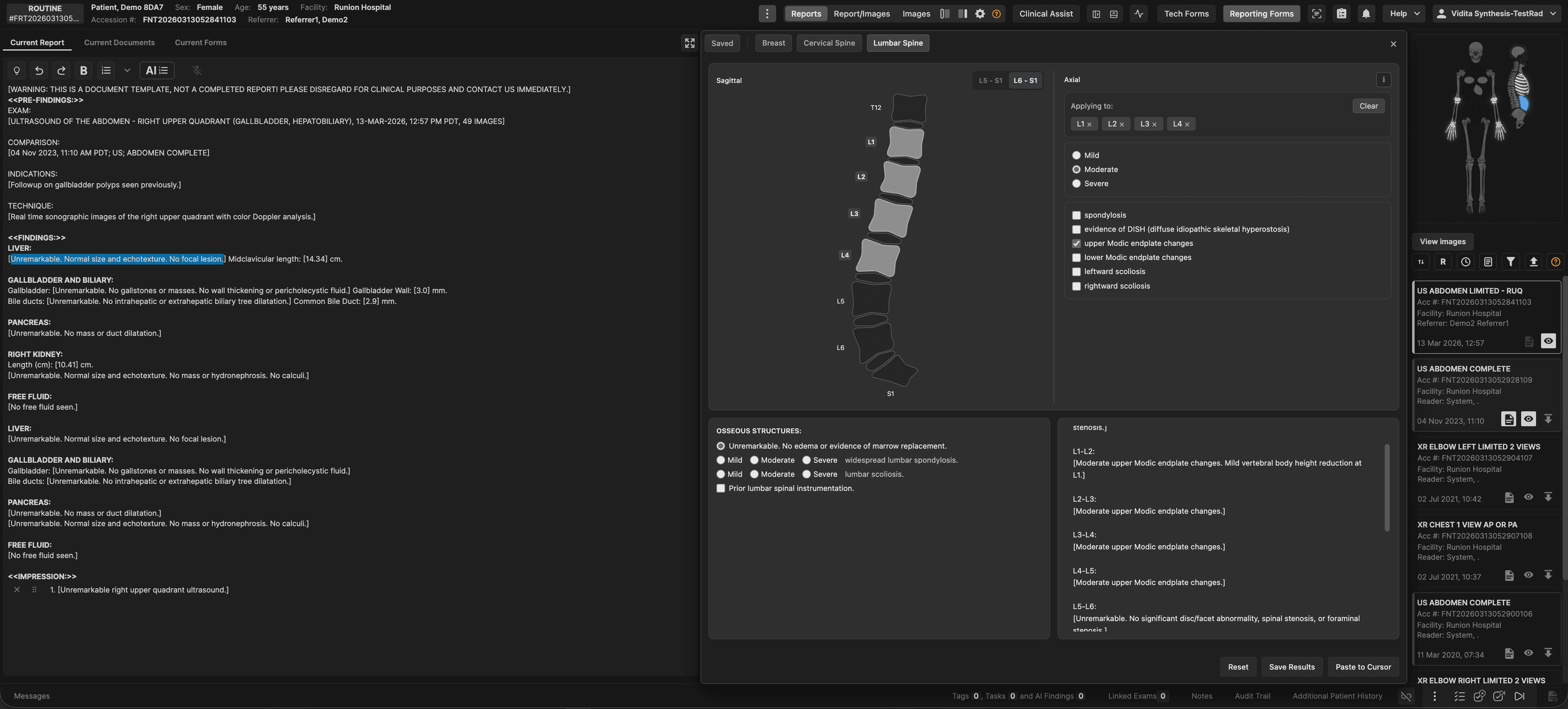
Reporting forms
Provides wizards for reading physicians to report cervical/lumbar spine CT/MR and breast imaging without dicitation. Uses diagrams for point-and-click reporting.


Dynamic panels
Enables users to easily switch between images, reports, and split screen modes. For reading physicians, this facilitates efficient reading when using a single landscape monitor. The extension can also be used by referrers, nurses, and other staff members to split the screen so that images and reports are simultaneously visible.


Frankie filter
Graphical filter for the comparison Exam List. Includes Timeline of exams, filtering by exam relevancy, by modality, and by date.


Breast worksheet form
For breast readers that prefer manual Assessment and Recommendation coding, the worksheet provides a dialog that can be customized as desired.


Report organizer (flat or expanded items)
Enables users to select from two available report format preferences, one in which finding items and associated text are on different lines and one in which they are on the same line (for shorter reports).


Interruption workflow
Enables a button to open one or more other instances of the platform in another browswer tab for viewing or reading other exam(s) without disturbing the current exam. The viewer and reporting screen for each tab are synchronized so that when images from one exam are displayed, reporting adds information to the corresponding exam only.


Categories
Welcome to the
Learning Center
Disclaimer
The Learning Center is for authorized, trained users only. All content is proprietary, confidential, and protected by intellectual property laws.This material is provided for informational purposes only and may not be copied, shared, modified, or used outside its intended context without prior written permission. Unauthorized use may violate contractual and legal obligations.This content does not replace customer‑specific workflows, professional judgment, or clinical decision‑making and must not be used or shared outside approved use.